
Affiliate link — commission earned at no extra cost to you.
Affiliate link — commission earned at no extra cost to you.
The first Kindle to show book covers, highlights, and comic panels in color, using a layered RGB filter over the standard E Ink layer.
Manual front light with warmth control, running slightly dimmer than the Paperwhite's at matching settings.
Enough room for thousands of books, or a solid library of graphic novels and comics, which take up more space than text.
Rated for up to 8 weeks per charge — shorter than the Paperwhite's 12 weeks, but still far beyond a daily-charge device.
Safe to read by the pool, in the bath, or anywhere else a regular book wouldn't survive.
Highlight passages in different colors — a small but genuinely useful upgrade over black-and-white-only Kindles.
I've been reading on Kindles since the original Kindle Keyboard back in 2010, and I've gone through a Voyage, a Paperwhite, and a Scribe since then. A color E Ink Kindle is something I'd wanted for years, mostly for graphic novels and picture books, so when the Colorsoft was announced I was excited — and then talked myself out of buying one for months after reading a bunch of mixed reviews. I love my Paperwhite, so I figured I could just wait for a second-generation Colorsoft. A sale finally got me to pull the trigger, and honestly, I'm glad it did.
First thing worth mentioning: my unit doesn't have any of the yellow banding at the bottom of the screen that a lot of early reviewers complained about. Either Amazon quietly fixed that in later units, or I got lucky, but there's no discoloration at all on mine.
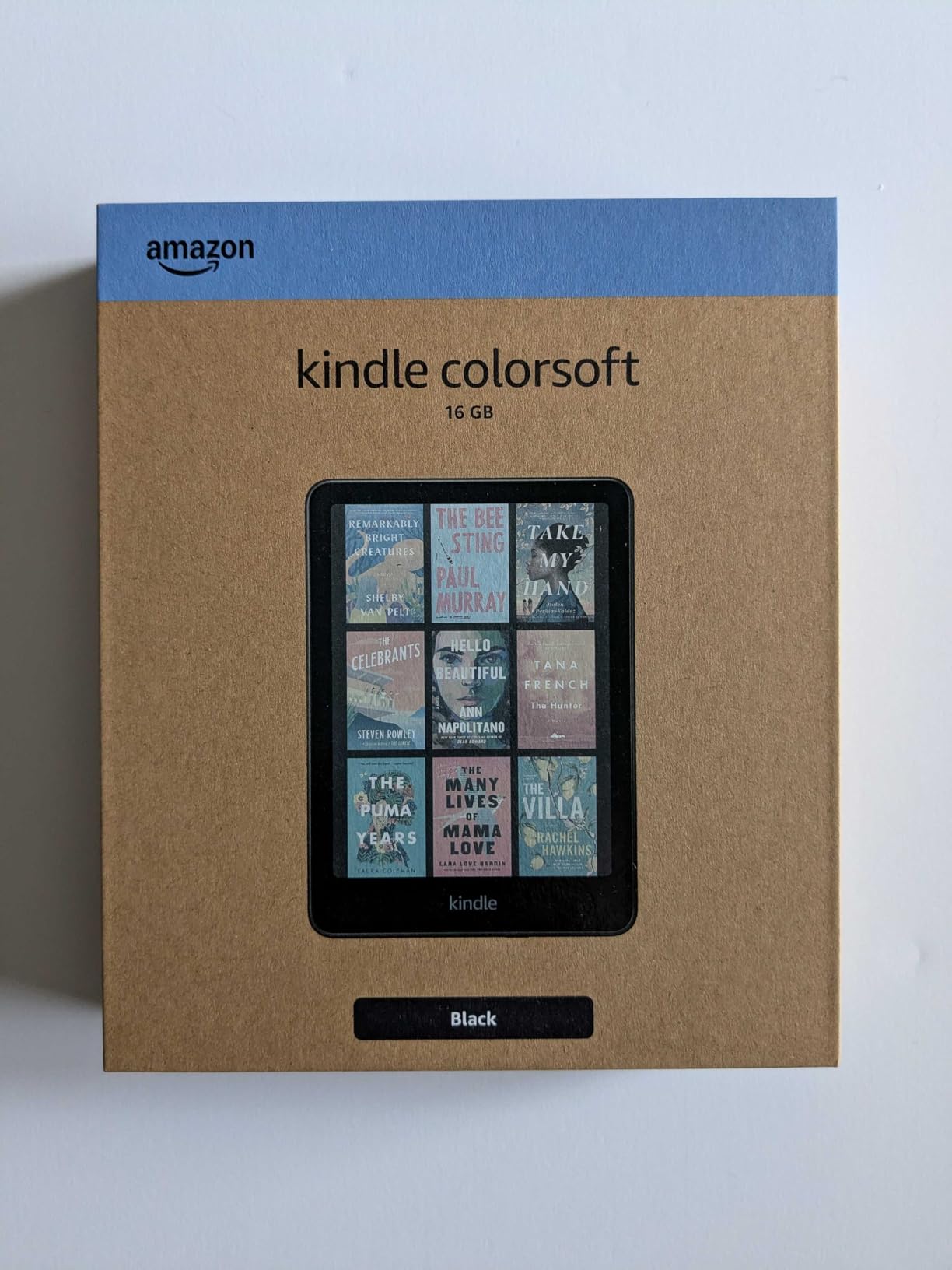
The Colorsoft, fresh out of the box.
Going in, I'd read that text would look noticeably duller and harder to read on the Colorsoft compared to the Paperwhite. Side by side, yes — the Paperwhite is sharper, with higher contrast and a truer black and white. But unless you're looking at the two screens directly next to each other, the difference basically disappears. I've been using the Colorsoft as my main reader without ever feeling like I need to switch back for a better experience.
The reason for the softer look comes down to how the color layer works — the Colorsoft's screen has a layer of diagonal RGB stripes sitting over the ink to produce color, while the Paperwhite's ink sits right on the surface. It's a clever bit of engineering, but it does trade away a little crispness to make color possible.
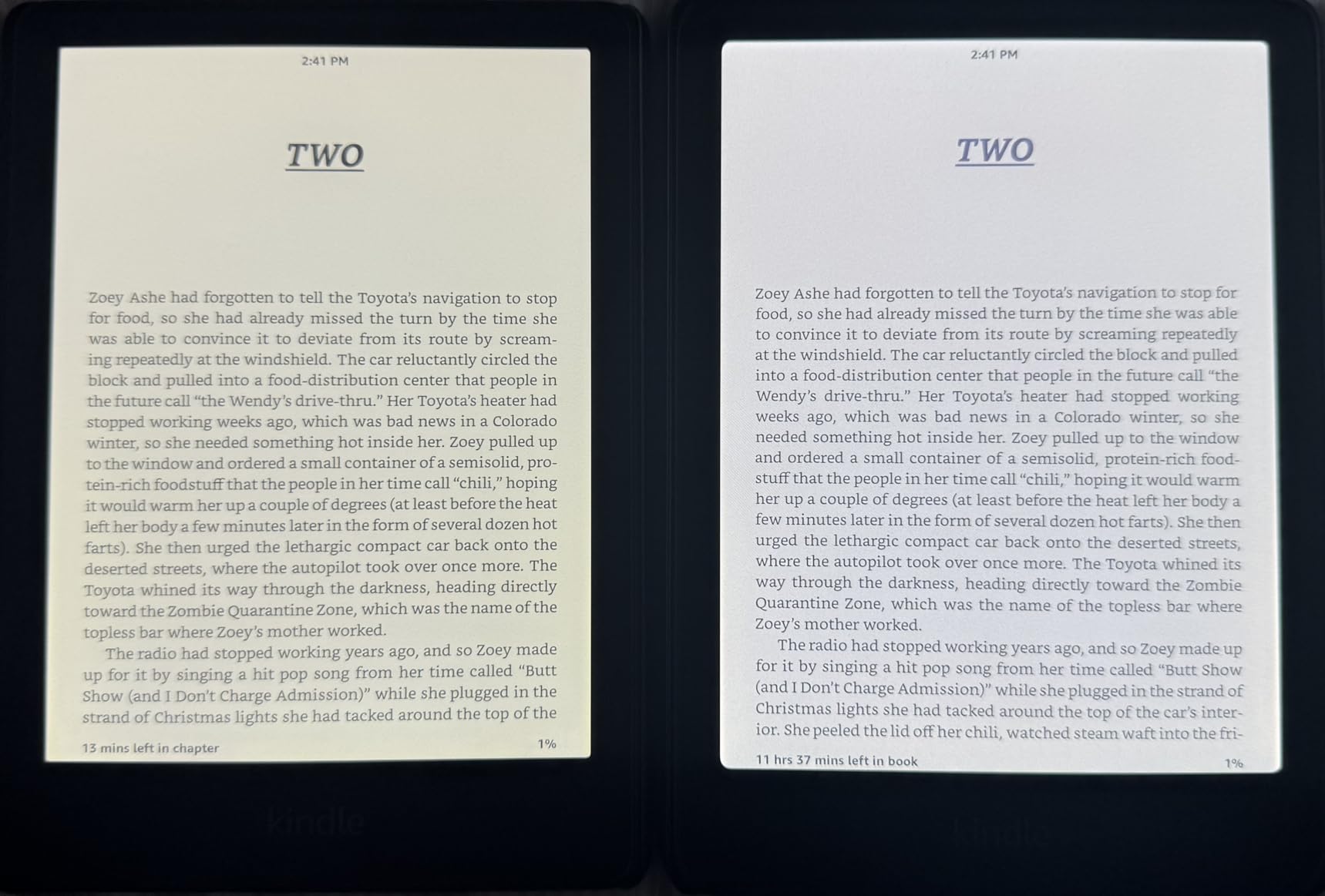
Text side-by-side: Colorsoft (right) vs Paperwhite (left).
The front light is dimmer on the Colorsoft than the Paperwhite at the same numerical setting — I run mine around level 16, versus level 10 on the Paperwhite, to get similar brightness. If you're someone who reads at full brightness on the Paperwhite, you'll notice the gap. If you keep it mid-range like I do, it's a non-issue. The color temperature is slightly different too — the Paperwhite leans a touch orange even with warmth off, while the Colorsoft leans a bit cooler and blue, which honestly feels more natural to me.
Battery life is the one area where the trade-off is real and worth knowing about upfront: Amazon rates the Paperwhite at up to 12 weeks and the Colorsoft at up to 8. That's still weeks of use per charge, so it's not a dealbreaker, but if battery life is your top priority, it's a genuine step down.
Comics and graphic novels. I've tried reading them on my phone and on an iPad, and both felt distracting compared to an actual e-reader. Reading Watchmen on the Colorsoft for the first time has honestly been one of my favorite reading experiences this year.
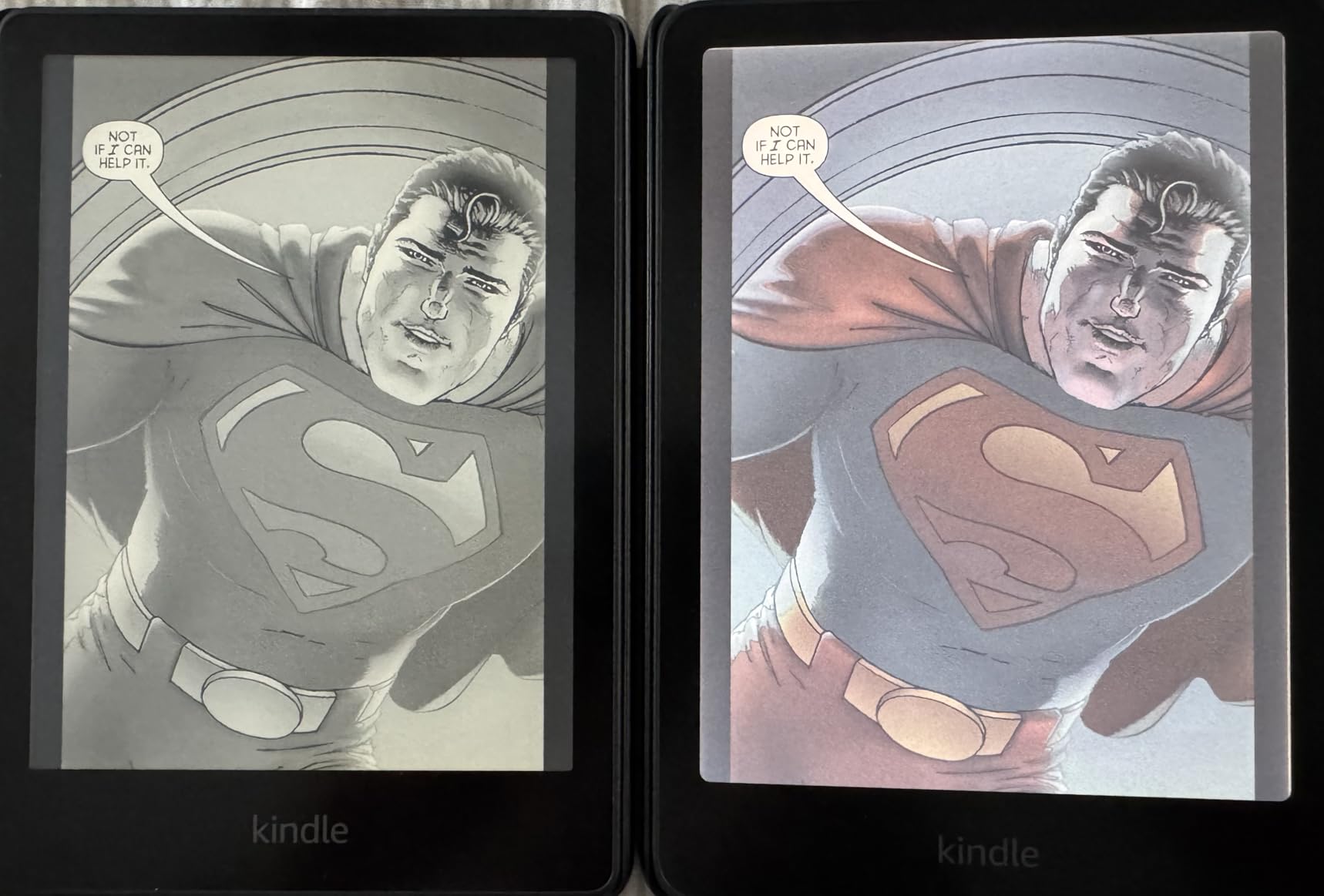
Same page, Colorsoft (color) vs Paperwhite (black and white).
The colors are muted compared to an LED tablet screen — there's less definition and vibrancy than you'd get on an iPad. But that muted look actually reminds me of old newsprint, which weirdly enhances the experience rather than hurting it. There's a sweet spot for brightness and warmth that keeps whites bright without washing out the blacks — for me that's around level 16 brightness with warmth around 5. That's also part of why I'd actually recommend the base Colorsoft over the Signature Edition: a self-adjusting light isn't as useful here as it is on a black-and-white Kindle, since you're often tweaking it manually to find that sweet spot anyway.
Some reviewers say the 7-inch screen is too small for comics. I actually think it depends on the book — the panel-by-panel zoom view works really well for some titles. Reading Watchmen, I found I liked seeing one panel at a time; it let me avoid spoiling the next panel on the page, while still giving a quick preview of the full page when I turned to it. If you strongly prefer seeing a whole page at once, that might bug you more than it bugged me.

The muted, newsprint-like color tone on a comic page.
If you only read text — novels, nonfiction, no comics or heavily illustrated books — the Paperwhite is still the better pick. It's sharper, the battery lasts longer, and you're not paying for color you'll never use. But if you read any amount of comics, graphic novels, or picture books, or the price difference isn't a big deal to you, I'd recommend the Colorsoft without much hesitation. It's genuinely changed how much I enjoy reading illustrated books, and that's worth a lot more to me than the small hit to text sharpness or battery life.
| Brand | Amazon |
| Model | Kindle Colorsoft (16GB) |
| Price | $249.99 |
| Screen | 7" Color E Ink |
| Storage | 16GB |
| Battery Life | Up to 8 weeks per charge |
| Waterproofing | IPX8 rated |
| Front Light | Adjustable warm light (manual) |
| Connectivity | Wi-Fi |
The first color E Ink Kindle — a genuine upgrade for comics and graphic novels, if you're willing to trade a little text sharpness and battery life for it.
$249.99 Buy on Amazon → Affiliate link — commission at no extra cost to you.