Affiliate link — commission earned at no extra cost to you.
Affiliate link — commission earned at no extra cost to you.
I'll be honest — when I ordered this, I expected it to feel like a $10 toy. You know the kind: slightly wobbly, screen that looks washed out at any angle, instructions printed in a font that requires a magnifying glass. But the Smart Weather Station Mini actually surprised me straight out of the box.
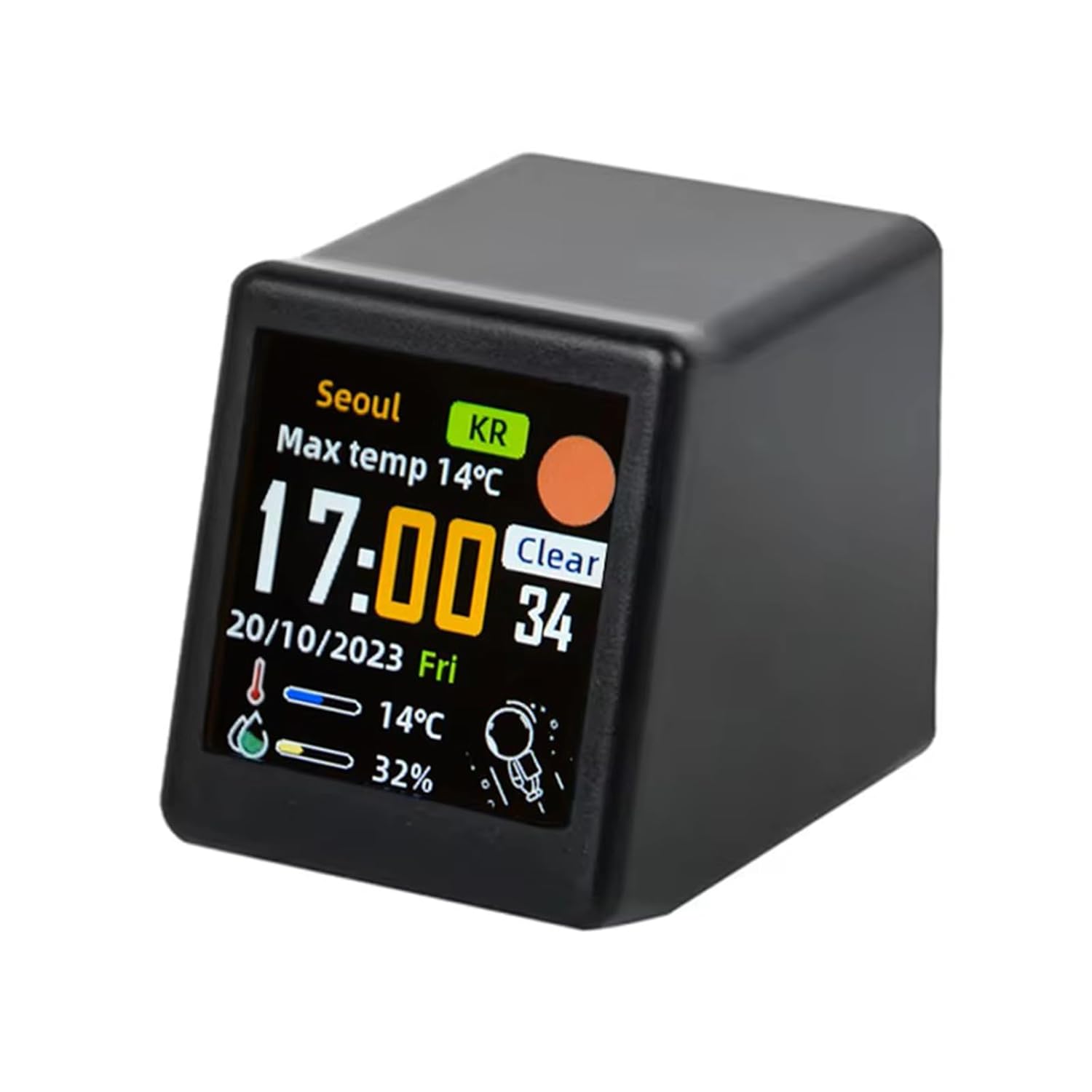
The build is compact but solid. It fits neatly on a desk corner without taking over your space, and the IPS screen is genuinely sharp and readable from across the room. Colors pop. Text is crisp. I put it next to a budget smart display I already had and this one honestly looked better.
The Smart Weather Station Mini in action on the desk.
WiFi gadgets under $20 can go one of two ways with setup: surprisingly smooth, or a nightmare of resets and app crashes. This one falls in the first camp, mostly. You download the companion app, connect it to your 2.4GHz network (no 5GHz, which is standard for budget smart home stuff), and within a couple of minutes it's pulling in live weather data for your location.
The app itself is fine but not pretty. It does what it needs to — lets you set your city, pick between Celsius and Fahrenheit, tweak brightness schedules. I wouldn't call it polished, but I also never need to open it once the device is configured, so it doesn't really matter.
 Clear presentation of time, date, and local weather icons.
The main display gives you the current time (large, dead center), indoor temperature and humidity from the built-in sensor, and a live weather readout for your area — condition icon, outdoor temperature, and a forecast strip. You can also flip it between a 12-hour and 24-hour clock depending on your preference.
The indoor sensor is accurate enough for casual use. I compared it against a dedicated thermometer and it was within half a degree. Nothing lab-grade, but definitely useful to know if your room is getting stuffy without realizing it.
After a couple of weeks, I genuinely glance at this thing every morning before deciding what to wear. It's become part of that half-awake routine where you're standing there with coffee and need to know if it's actually cold outside or if you're just groggy. At 7am that little forecast strip is more useful than unlocking my phone.
The auto-brightness is a nice touch — it dims at night so it's not blasting your face at 2am. Am I overthinking how much I appreciate this? Maybe. But it works, and it's quiet, and it just sits there doing its job without demanding attention.
 Compact footprint makes it easy to fit into any workstation layout.
A few things are worth flagging. The weather data updates on a fixed interval, not in real time, so if a storm rolls in quickly it might lag a bit. The app doesn't have great English localization — some menus read like they were translated by someone who was in a hurry. And the stand is a simple angle that you can't adjust, which might bother you depending on where you place it on your desk.
Also, the device pulls weather from an online service, so if your internet goes down or the service changes, you lose the outdoor data. The clock and indoor sensor still work offline, at least.
| Tier / Edition | Features Included | Price |
|---|---|---|
| Standard Edition | Smart Weather Station Mini + USB-C Cable | $18.99 |
| Dual Pack | Two Weather Station Minis (Home & Office) | $33.99 |
| Desktop Bundle | Weather Station + Mini USB Power Brick | $23.99 |
| Display | IPS color screen |
| Connectivity | WiFi 2.4GHz |
| Sensors | Indoor temperature & humidity |
| Weather Data | Live via app, city-based forecast |
| Clock Modes | 12h / 24h |
| Brightness | Auto-dimming / manual |
| Power | USB-C (cable included) |
| Price | $18.99 |
Smart Home · Desk Gadgets
$18.99 Buy on Amazon → Affiliate link — commission at no extra cost to you.